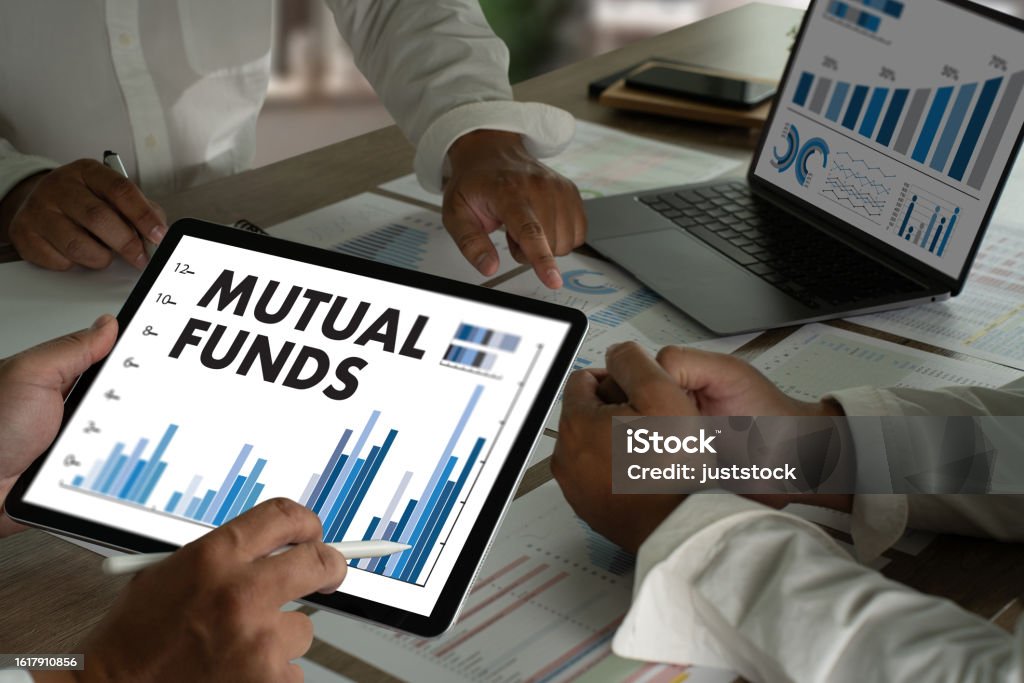
MUTUAL FUNDS business stock profit growth investment money income mutual banking asset economy interest mutual fund coins money saving

Essential Tools Every Freelancer Needs to Stay Organized, Productive, and Stress-Free
Introduction: The Chaos and Charm of Freelancing
Freelancing sounds like a dream — no fixed hours, no boss breathing down your neck, and the freedom to work from anywhere. But once you dive in, you realize it’s not all smooth sailing. You’re the boss, the accountant, the marketer, and the customer support team all at once.
Between juggling deadlines, tracking payments, managing clients, and keeping your sanity intact, freelancing can sometimes feel overwhelming. That’s when the right tools can make all the difference.
After years of trial, error, and countless to-do lists, I’ve found a handful of tools that keep my freelance business running like a well-oiled machine. They help me stay organized, communicate clearly, and even take a breather without losing track of projects.
Here are five powerful tools that transformed my freelance workflow — and how you can use them to bring more order and ease into your own business.
1. Trello – For Seamless Project and Task Management
When I first started freelancing, my tasks were scattered everywhere — sticky notes on my desk, reminders on my phone, and ideas scribbled in notebooks. Trello changed that completely.
Trello is a visual project management tool that helps you track every stage of your work through boards, lists, and cards. Each project gets its own board, and every task can be organized as a card under columns like To-Do, In Progress, and Completed.
Why It Works for Freelancers
- You can manage multiple clients and projects at once.
- Add deadlines, labels, and attachments to stay organized.
- Collaborate easily if you work with a designer, writer, or virtual assistant.
Pro Tip:
Use color-coded labels — for example, red for urgent tasks, blue for client revisions, and green for completed work. It gives you a quick visual snapshot of your priorities.
Personal Experience:
I use Trello not only for projects but also for planning my content calendar and marketing ideas. It’s like having a digital workspace that keeps me calm even when my schedule is packed.
2. Clockify – For Tracking Time and Boosting Productivity
One of the biggest struggles as a freelancer is knowing where your time actually goes. Without an office routine, it’s easy to lose track of hours — and that affects how you charge clients and manage your workload.
That’s where Clockify comes in. It’s a simple, free time-tracking app that shows exactly how much time you spend on each task or project.
Why It Works for Freelancers
- Helps you understand how long different projects really take.
- Generates reports you can share with clients for transparency.
- Prevents burnout by showing when you’ve worked too much.
Pro Tip:
At the end of each week, review your time log. You’ll start spotting patterns — which clients take the most time, which tasks drain your focus, and where you can optimize your schedule.
Personal Experience:
Clockify helped me discover that writing emails and proposals was eating up more time than I realized. Once I saw the numbers, I started batching these tasks and freeing up hours for creative work.
3. Notion – For All-in-One Organization and Idea Storage
If Trello is my project manager, Notion is my brain.
Notion is a powerful all-in-one workspace where you can create pages for anything — client notes, invoices, blog ideas, goals, daily journals, or even reading lists. It’s like combining Google Docs, Evernote, and a planner into one elegant platform.
Why It Works for Freelancers
- You can build personalized dashboards for everything — projects, goals, clients, etc.
- Integrates with other tools like Google Drive, Slack, and Calendar.
- Helps you document your process, ideas, and progress in one place.
Pro Tip:
Create a “Freelance HQ” dashboard in Notion. Include sections like:
- Client Details
- Payment Tracker
- Content Calendar
- Monthly Goals
- Ideas Vault
Personal Experience:
Before using Notion, I had folders scattered across drives and notebooks. Now, I have one dashboard where I can see my tasks, track deadlines, store contracts, and plan future goals — all in one clean view.
It’s not just about productivity; it’s about mental clarity.
4. Wave – For Managing Finances and Invoices
Freelancing means freedom, but it also means managing your own finances — and that can get messy fast. Sending invoices, tracking payments, and calculating income for taxes used to give me headaches.
Then I discovered Wave Accounting, a free tool designed especially for freelancers and small businesses.
Why It Works for Freelancers
- You can create and send professional invoices in minutes.
- Tracks payments and reminds clients automatically.
- Helps you categorize income and expenses for easy accounting.
- Generates financial reports for tax time.
Pro Tip:
Set up automatic invoice reminders. Clients often forget, and this saves you the awkwardness of chasing payments manually.
Personal Experience:
Wave has helped me maintain a clear picture of my cash flow. I can see which clients pay on time, how much I’ve earned each month, and what expenses I can claim during tax season. It’s like having a virtual accountant without the heavy fees.
5. Canva – For Designing Everything from Social Posts to Proposals
Even if you’re not a designer, as a freelancer you’ll eventually need visuals — social media posts, presentations, eBooks, or branded proposals. That’s where Canva becomes a lifesaver.
Canva is an easy-to-use graphic design platform that lets you create stunning designs in minutes — no Photoshop skills required.
Why It Works for Freelancers
- Thousands of customizable templates for social media, resumes, and presentations.
- You can upload your brand colors, fonts, and logos for consistency.
- Collaborate with clients or teammates easily.
Pro Tip:
Create a “Brand Kit” in Canva. Add your color palette, fonts, and logo so that every visual you make looks professional and consistent.
Personal Experience:
I use Canva for everything — from designing Instagram posts to making my freelance proposal templates. It helps me present my services professionally, which leaves a strong impression on clients and often leads to repeat projects.
Bonus: Google Workspace – For Communication and Cloud Management
While I promised five tools, I can’t leave out Google Workspace (formerly G Suite).
It’s the backbone of my freelance communication — with Gmail for client conversations, Google Drive for sharing files, and Google Docs/Sheets for real-time collaboration.
Why It Works for Freelancers
- Keeps your communication organized in one place.
- Makes sharing documents and files seamless.
- Helps you back up your work automatically in the cloud.
Pro Tip:
Use Google Forms for client onboarding — include project questions, timelines, and expectations. It gives you a professional edge right from the start.
How These Tools Work Together
Each of these tools serves a different purpose, but when used together, they create a balanced system:
- Trello organizes your workflow.
- Clockify tracks your time.
- Notion stores your ideas and notes.
- Wave manages your money.
- Canva enhances your brand visuals.
- Google Workspace connects it all seamlessly.
Think of them as your digital team — each one handling a part of your freelance business so you can focus on what you love: creating great work.
Tips to Make the Most of Your Tools
- Don’t overcomplicate. Start with one or two tools and add more gradually.
- Automate repetitive tasks. Many of these tools integrate with each other — use that to save time.
- Review your setup monthly. See what’s working and what feels like clutter.
- Back up everything. Use cloud storage or export your data regularly.
- Stay flexible. Tools evolve — don’t be afraid to switch if you find something better.
Conclusion: Work Smarter, Not Harder
Freelancing doesn’t have to mean chaos. The right tools can turn your scattered ideas, deadlines, and invoices into a streamlined system that gives you more time to focus on growth and creativity.
These five tools — Trello, Clockify, Notion, Wave, and Canva — have not only helped me manage my freelance business smoothly but also given me a sense of control and peace in the middle of multiple projects.
At the end of the day, productivity isn’t about doing more; it’s about doing what matters — efficiently and joyfully. And with the right digital allies, freelancing becomes exactly what it’s meant to be: freedom with balance.



Building a community around your brand is the best marketing strategy. Love that you mentioned that.
Digital marketing can feel overwhelming, but breaking it down into these pillars makes it manageable.
Content is king, but distribution is queen! Excellent points on promotion strategies.